
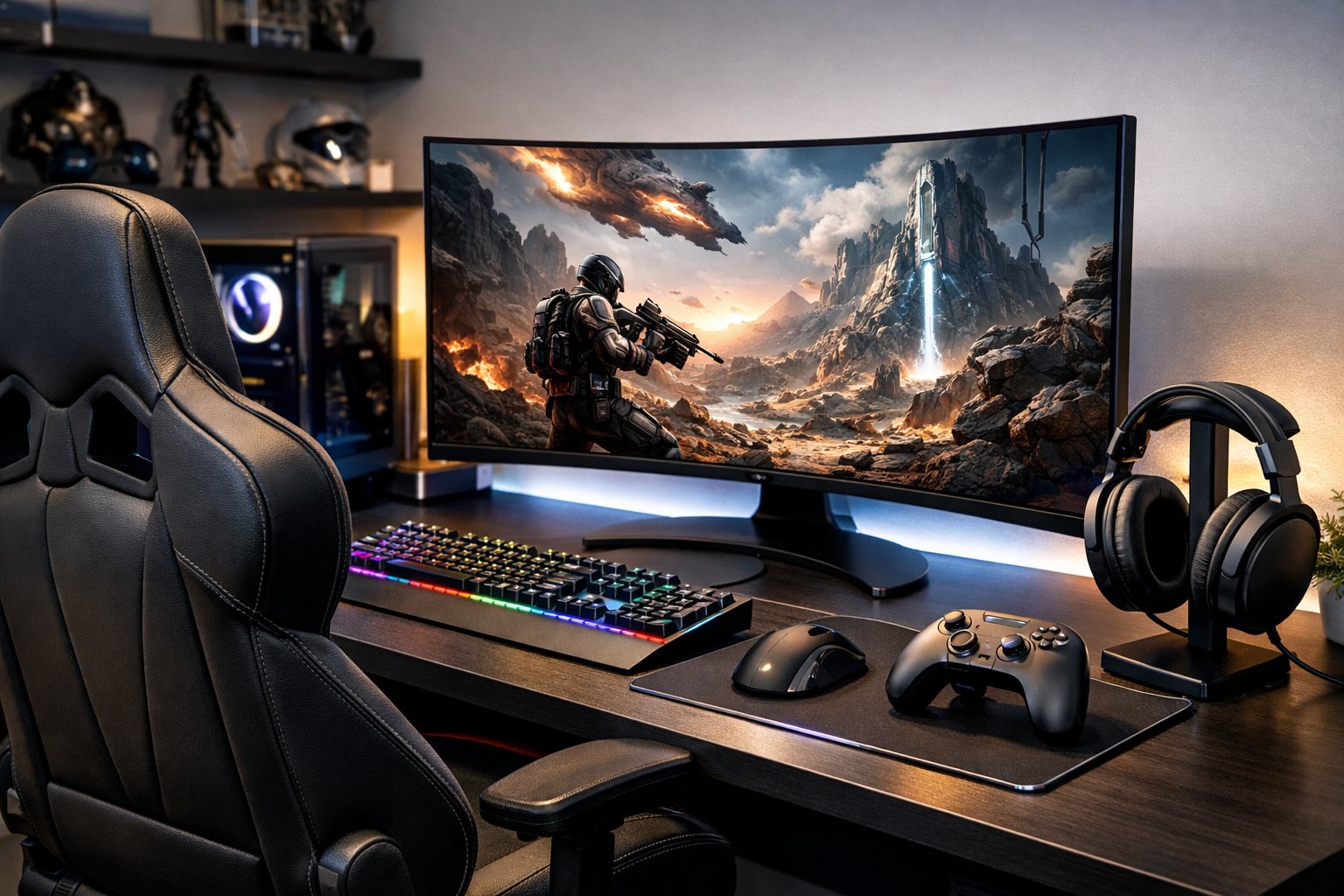
Gaming gadgets really change up how you play, whether you’re on a console, PC, or just a handheld. The right accessories can make your setup more comfortable, help you play better, and honestly just make gaming more fun. Headsets, controllers, monitors, charging cases—these things all add something extra to your experience.
Some of the best gaming gadgets are pretty straightforward: good headsets for clear audio, precise controllers, comfy chairs, and monitors with high refresh rates. You don’t have to buy everything right away. It’s smart to pick a few pieces that fit your style and wallet, then build from there.
CES 2026 just wrapped up, and wow, there’s a flood of new gaming accessories from GameSir, Corsair, Asus, Lenovo, and more. Some are basic, others are for hardcore players. Knowing what’s out there helps you put together a setup that actually works for you and makes gaming smoother.
Key Takeaways
- Headsets, controllers, and monitors can make gaming more comfortable and help you perform better
- You don’t have to go all-in—start with the basics and upgrade as you go
- Big brands keep pushing out new gear, from simple upgrades to wild new features
Essential Gaming Gadgets and Accessories

The right gaming accessories can take your setup from “meh” to seriously impressive. Peripherals like mechanical keyboards, high-refresh monitors, and wireless headsets really do make a difference, especially if you’re gaming for hours.
Gaming Keyboards and Mice
A solid gaming keyboard is a must for PC gamers. Mechanical keyboards respond faster and just feel better than the squishy membrane ones. The switch type matters—red switches are smooth and quiet, while blue ones give you that clicky feedback some people love.
Your mouse is just as important. Top gaming mice have adjustable DPI so you can go from pixel-perfect aiming to fast movement on the fly. The Razer Basilisk V3, for example, lets you program buttons for quick in-game actions. Ergonomics count too—pick a mouse that fits your grip, whether you’re a palm, claw, or fingertip person.
Most gaming mice now come with customizable RGB lighting. Wireless options are basically lag-free these days, though if you hate charging, wired is always an option.
High-Performance Monitors and Desks
Your monitor really shapes what you see and how fast you can react. Monitors with 144Hz refresh rates (or higher—240Hz is common for esports) make everything look smoother and can give you a split-second edge.
Resolution plays a part too. 1080p is still great for fast-paced games, but 4K is gorgeous for single-player adventures. Monitor size depends on your space—most people like 24-27 inches for competitive play, or go bigger if you want something more cinematic.
A gaming desk gives you room to spread out. Good ones have cable management to keep things tidy. Adjustable desks are nice if you want to stand sometimes. Just make sure it’s sturdy enough for your gear—wobbly desks are the worst.
Headsets, Microphones, and Audio Experience
Headsets matter way more than you’d think. A good one like the SteelSeries Arctis Nova Pro Wireless brings immersive sound and swappable batteries. Decent headphones let you hear where things are happening in-game, which is a huge help.
Wireless models have finally caught up—no more dealing with cables or losing audio quality. Look for memory foam ear cushions and comfy headbands, especially if you play for hours.
If you care about voice chat (or streaming), a separate microphone is worth it. The best ones block out background noise and keyboard clatter. USB mics are easy to set up, while XLRs are more for serious streamers.
Gaming Controllers and VR Devices
Controllers open up new ways to play. The Xbox Wireless Controller works great on PC and consoles, and the button layout just feels right. A lot of PC games now support controllers, especially for action and racing games.
Some controllers are more specialized. The Steam Deck, for example, is both a portable console and a PC gaming device, letting you play your library anywhere.
VR headsets go even further, putting you right in the middle of the action. Modern VR gear tracks your movements precisely. If you’re into VR, consider an external SSD for faster load times—those games can be huge. Just remember, VR needs a lot of space and a beefy PC to run smoothly.
Optimizing the Gaming Experience and Setup

Building a great gaming space isn’t just about the gear. Comfort, internet speed, and even the vibe of the room all matter. Get those right, and your gaming sessions will feel way better.
Gaming Chairs and Ergonomic Comfort
If you’re sitting for hours, your chair makes a huge difference. A good gaming chair supports your back, neck, and shoulders, so you don’t end up sore or hunched over.
The Secretlab Titan Evo is a favorite for a reason—adjustable lumbar support, a magnetic memory foam head pillow, and armrests you can tweak. The foam holds up for years, too.
When you’re picking a chair, check for these:
- Adjustable seat height so your feet can rest flat
- Reclining backrest (90-135 degrees is ideal)
- Breathable fabric so you don’t overheat
- Weight limit that fits your body
If you’re into racing games, you might want a chair that supports a wheel setup—some have trays for that, but hardcore sim racers often get a dedicated seat.
Routers and Connectivity Upgrades
Your internet connection can make or break online gaming. Lag and high ping are just brutal.
A gaming router helps by prioritizing your gaming traffic. The ASUS ROG Rapture GT-BE98 Pro is a beast, with WiFi 7 and quad-band support. It handles tons of devices without slowing you down.
Look for routers with:
- Quality of Service (QoS) to put your games first
- Low-latency modes for better ping
- Plenty of Ethernet ports—wired is always better if you can swing it
- Dual or tri-band to split up traffic
Even if you’re not a pro, a wired Ethernet connection is more stable. Place your router in a central, elevated spot for the best signal.
Lighting, Ambience, and Room Enhancements
Lighting does more than just look cool—it helps with eye strain and sets the mood. The right setup can make your space feel like a real battlestation.
Nanoleaf panels are popular for a reason. You can stick them on your wall in any pattern and sync them to your games. Bias lighting behind your monitor helps cut eye fatigue, especially at night.
Smart lighting perks:
- Adjustable color temperature for different games or moods
- Dimming to avoid glare
- Automation so lights change as the day goes on
- Works with other smart home stuff
On a budget? LED strips behind your desk or shelves work wonders. Try to keep the room’s ambient light at about half your screen brightness to save your eyes.
Soundproofing helps too. Simple foam panels or even thick curtains can cut down echo, making game audio and voice chat clearer. And don’t forget about temperature—keep things between 68-72°F for comfort and to keep your gear happy.
Frequently Asked Questions
Picking the right gaming gear means knowing what actually makes a difference. The right peripherals can help you play better and stay comfortable, simple as that.
What are the top-rated gaming headsets currently available on the market?
Headsets in 2026 really focus on spatial audio and comfort. 7.1 surround or newer spatial audio tech helps you pinpoint in-game sounds—super useful for shooters or anything competitive.
Wireless headsets now rival wired ones for latency. Battery life matters—aim for at least 20 hours, and quick-charge is a lifesaver.
Look for memory foam earcups and adjustable headbands, especially if you play long sessions. Noise-canceling mics help your friends hear you, not your background.
How do gaming mice differ from regular mice, and what features should I look for?
Gaming mice use better sensors for more accurate tracking. DPI settings can go from 400 up to 20,000+, so you can dial in the sensitivity you like.
Shape and weight play a big role in comfort. Ergonomic designs keep your hand from cramping up, and some mice let you tweak the weight to your liking.
Programmable buttons are great for quick actions. Wireless mice now have response times under 1ms, so you don’t have to worry about lag or cables.
What are the essential characteristics of a high-performance gaming monitor?
Refresh rate is key. For fast games, 144Hz or higher is the norm—some folks go for 240Hz or even 360Hz.
Response time should be 1ms if you want to avoid motion blur. IPS panels give you better colors and viewing angles, while TN panels are faster and cheaper.
Adaptive sync (G-Sync, FreeSync) stops screen tearing. For resolution, 1080p is great for high refresh, 1440p balances visuals and speed, and 4K is stunning if your PC can keep up.
Can you recommend ergonomic accessories to enhance gaming sessions?
Chairs with lumbar support and adjustable armrests help your back and shoulders. Make sure the chair height fits your desk and monitor.
Monitor arms let you set your screen at eye level—no more neck pain. Ideally, your monitor should be an arm’s length away, with the top at or just below eye level.
Wrist rests for keyboards and gel mouse pads help prevent wrist pain. A footrest is handy if your chair is high and your feet don’t touch the floor.
What innovations in virtual reality gear should gamers be aware of for an immersive experience?
Standalone VR headsets now run games on their own—no PC or console required, though you can still connect for more demanding titles.
Inside-out tracking uses cameras on the headset, so you don’t need extra sensors. It’s way easier to set up and lets you move around more freely.
Pancake lenses are making headsets lighter and clearer. Hand tracking’s getting better too, though controllers are still more precise for most games.
Screen-door effect is fading away, with some headsets offering up to 4K per eye. Text is sharp, and visuals are way more immersive now.
How does one choose the best gaming keyboard for both comfort and functionality?
Mechanical keyboards use individual switches under each key, giving that satisfying tactile feedback. Switch type really shapes the feel—linear switches glide smoothly, tactile ones have a little bump, and clicky switches? Well, they’re noisy, which some folks love and others just can’t stand.
Key travel distance and actuation force play a big role in comfort and how quickly you can react while gaming. If you want speed, shorter actuation points help you hit keys faster—pretty useful if you’re competing.
Full-size keyboards have a number pad, but tenkeyless (TKL) models free up desk space. Compact 60% layouts ditch the function and arrow keys entirely, which might sound wild, but it’s great for minimalists or anyone who wants as much room as possible for their mouse.
Anti-ghosting and N-key rollover make sure every keypress gets picked up, even if you’re mashing a bunch at once. With programmable keys and onboard memory, you can set up custom macros and keep your favorite settings right on the keyboard.
Comments